I remember upgrading to Yosemite last year and immediately realising my Mac’s performance deteriorate. Battery life was significantly shorter and switching between spaces and windows was sluggish. It seemed like all the improvements to battery life and performance made in Mavericks was to offset the bloated mess that Yosemite turned out to be, and that didn’t sit well with me. Turning off transparency effects in Yosemite resulted in a drastic improvement in UI performance and general system responsiveness especially on HiDPI displays.
The El Capitan update to OSX brings numerous refinements and improvements to OSX, including much better UI performance, so I decided to turn transparency back on to see whether my Macs could handle it (a 2013 Macbook Air and 2015 13” Macbook Pro). To my surprise, even with transparency on, both Macs managed to maintain a smooth 50-60FPS while navigating the UI (mostly). So that’s the performance issue fixed, but I’m not happy yet.
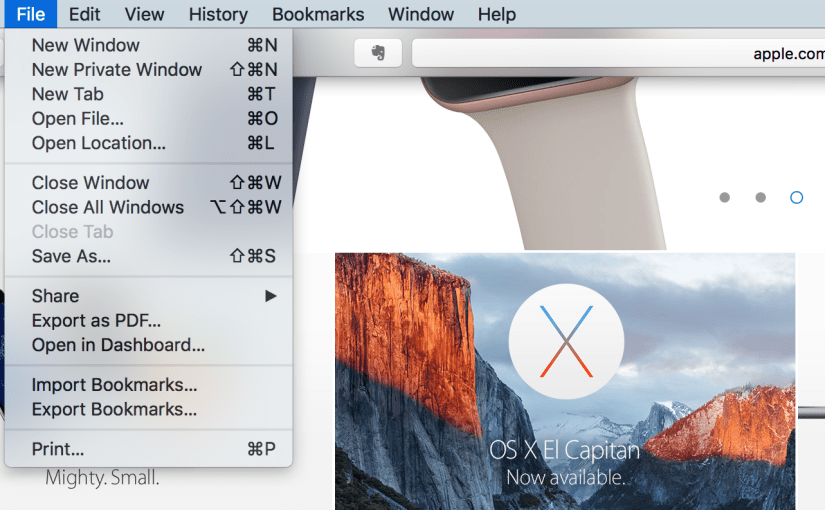
Transparency in my opinion adds very little to the user experience in OSX (and to some extent iOS). Yes, translucent side bars and window chrome that shows the content below as you scroll looks cool, but it doesn’t give you any more information about what your UI is doing. Worse still, translucency can make certain UI look worse; the menu bar being a prime example. Depending on your background, text on the translucent menu bar can be almost illegible and menu’s require you to look at them for a fraction of a second longer to make sure you’re clicking the right option.

I know that a menu is “on top” of a window because it is covering it, and maybe it’s casting a shadow too. Being able to see a translucent blur below the menu tells me nothing extra about what’s going on.
Then there’s the power cost of fancy translucent effects. El Capitan may have solved the performance problem, but I’m sure the system is using more power to run these effects, and the user will have to pay a battery life penalty. Mavericks made huge improvements to power efficiency in OSX, it’s a shame to waste that on fancy translucent effects that don’t serve a useful function and at times can look horrible.
The Test
To evaluate the performance cost of translucency effects, I’ll be using my early 2015 13” Retina Macbook Pro (i7, 16GB, 512GB) with display scaling set to 1440×900 (which I believe is what most people would be comfortable with, 1280×800 is not enough). I’m running OSX 10.10.1.
The test will consist of tasks with translucency on and off. I will then measure GPU utilisation with the iStat Menus utility which also shows framerate, although framerate is highly variable so you’ll just have to take my word for it that it’s 50-60FPS. I’ll try to measure GPU power, although that’s also quite variable too. This is also far from a scientific test, so take these results with a pinch of salt.

Right off the bat we can see that in almost every scenario looked at, GPU utilisation was considerably higher with translucency turned on. Scrolling through a thread in mail was especially taxing with translucency on, resulting in a noticeable frame rate drop. The Calendar scrolling task doesn’t have any translucent UI to trigger while scrolling, so unsurprisingly there is negligible difference in GPU utilisation. It’s worth noting that while displaying a static image (i.e. while reading a web page), GPU utilisation was essentially 0%. However, if you’re watching a Youtube video and part of the video gets caught under the window UI, GPU utilisation will increase dramatically. If you’re trying to squeeze every last drop of battery life from your Mac, leaving translucency on is like walking on eggshells.
I was unable to quantify the increased power consumption caused by leaving translucency on, but we can infer that increased utilisation of the GPU will result in higher power draw. This will be significant in everyday use, I for one know that I spend a considerable amount of time scrolling through documents/Facebook etc. When trying to extend battery life, you want to keep utilisation as low as possible to maximise the time hardware can spend in idle or power gated states, and translucency does nothing to help this.
I hope that Apple one day decides to grow out of this “Windows Vista” moment and embrace efficiency again, but for the time being, I’m glad they gave us an option to turn these effects off.
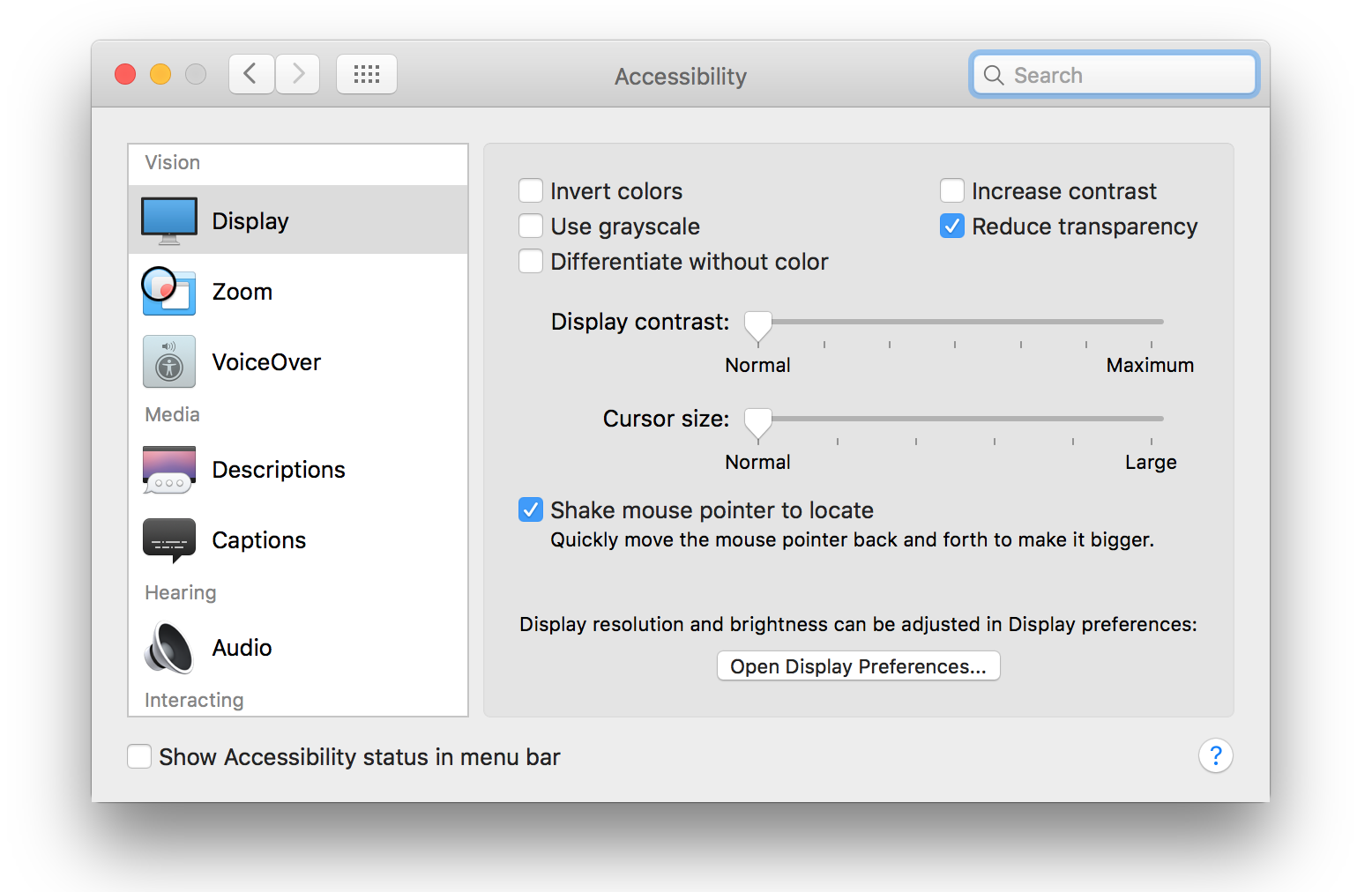
Oh, to turn these effects off in OSX: System Preferences > Accessibility > Display > Reduce Transparency
In iOS: Settings > General > Accessibility > Increase Contrast > Reduce Transparency
 ATR93
ATR93 