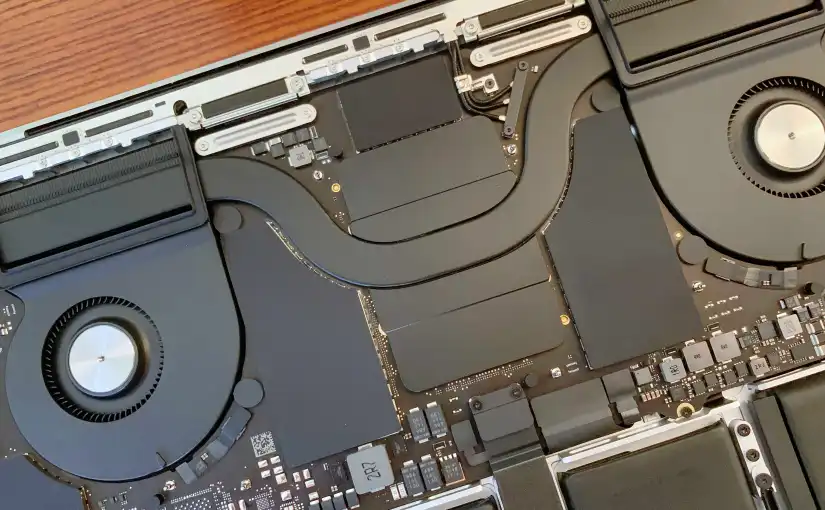
MacBooks tend to run their fans conservatively, opting to prioritise low noise at the expense of higher surface temperatures. This is particularly true for Intel Macs which can get much warmer during “normal” use unlike their Apple Silicon counterparts.
Fan control applications like Macs Fan Control of TG Pro allow you to set custom fan curves for your Mac. Setting the custom fan curve is as simple as selecting a temperature sensor to key off, then setting max and minimum temperature.
You could even set the fan curve to be less aggressive than the default, for example, by setting a constant RPM. This may be useful if you absolutely need low noise, for example if you’re recording audio during CPU intensive tasks.
At high temperatures and low fan speeds, the CPU/SoC and GPU will throttle down which keeps them within safe operating temperatures, but other components such as the battery will likely degrade faster, just something to keep in mind.
An interesting tidbit is that all modern MacBooks with two fans tend to have very different max RPM values for each fan, and both fans never seem to run at the same speed when ramping up. I suspect that Apple is intentionally spinning the two fans at different speeds to smooth out the sound signature and to prevent the high pitched noise so common on other laptops. MacBook fans tend to sound like a “whoosh” rather than a “whine”.
 ATR93
ATR93 